
Main navigation

  • Home
  • BikeCAD Pro
  • BikeCAD Online (Free)
  • Design Archive
  • User Guide
  • Help/ FAQ
  • Forum
  • Glossary
  • Cycling Dingbats
  • Upload a BCAD file
  • Release Notes
  • User Map
  • BikeCAD Pro Owners
  • Contact

User account menu

  • Sign up
  • Log in
Home
Bicycle Design Software

Lock Frame

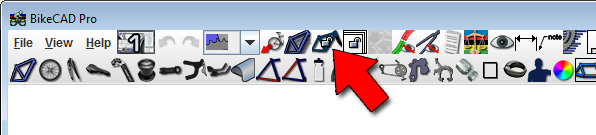
Use the Lock frame icon to see how a specific frame would look with a different fork or wheel. If the frame is not locked, then the frame will change shape to retain the initially specified seat angle and head angle as forks of different lengths are used or as differently sized front and rear wheels are used.

Use of the Lock frame icon is further explained in the video above.

Copyright © 1998 - 2025 The Bicycle Forest Inc. - All rights reserved

Drupal theme by Alaa Haddad