
falsea

Hey Brent,
First off, I'm loving V17. Thanks for your continued support/updates/etc.
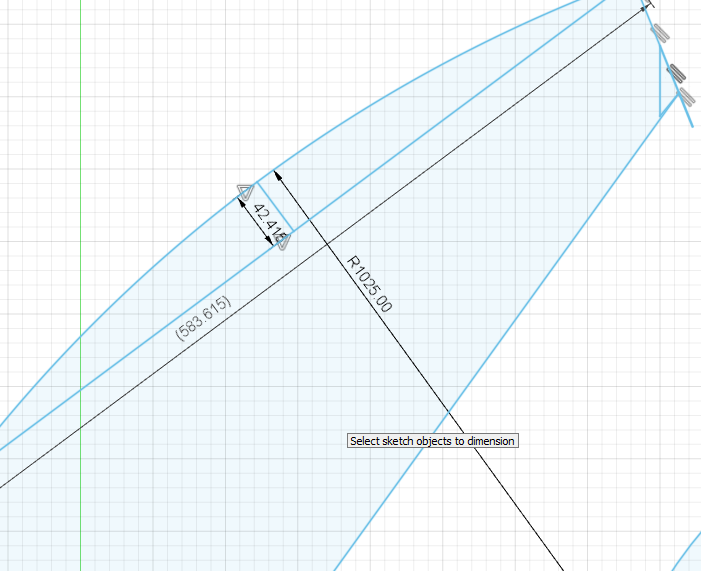
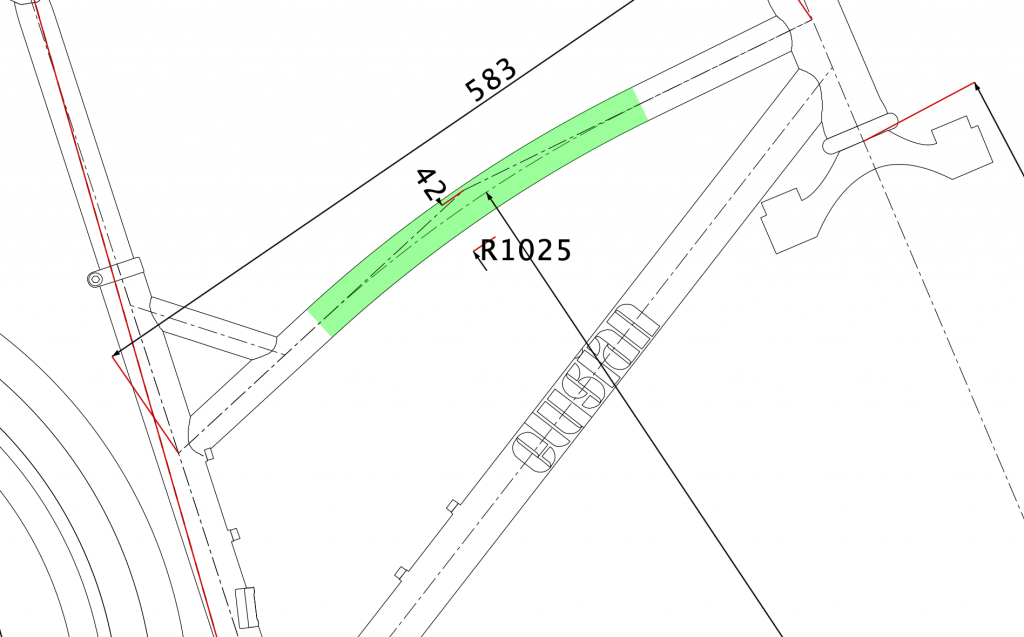
Second, a few days ago I didn't have access to BikeCAD but I had a bit of an idea so I drew something up in Fusion360. When I went back to BikeCAD to figure the rest of stuff out, I noticed what I think is a descrepancy (or a gap in my knowledge).
Basically, when I curve the top tube in Fusion it seems to extend through the entire length of the tube but when I curve using the same dims in BikeCAD the curve is significantly shorter. I have to almost double the R value (which I'm assuming is radius of the curve) to see the curve go full length.
Images below.
I'd love to know if I'm just thinking about things in the wrong way and how to correct my thinking.
Thanks
Bending tubes
You are correct that dimension R is the radius of the bend. This video gives a good visual explanation of the two methods used to bend tubes in BikeCAD: bikecad.ca/curved_tubes_new_method.