
michelvanaar
hi,
im just have unclikked all the dimension boxes manually but the sizes are still apearing on the drawing, i restarted my computers and all the all boxes are unclicked the sizes are still there, even after using the bottom left 'un-select' all option, any further ideas what to do, i run this on an apple but i belive all software is up to date .
thanks, mick
Turning off dimensions
I'm guessing that you've unintentionally applied the snapshot tool. That's described at: bikecad.ca/snapshot. You can remove the image permanently by selecting File >> Remove photo.
Beyond that, I'm sure you've done everything else correctly. However, be aware that you can temporarily turn off the display of dimensions by turning them off in the Display dialog box or by clicking on the eyeball icon in the dimensions dialog box.
Another option is to open the dimension template called "No dimensions".
i still have the same drama
i still have the same drama which is very frustrating in the sence that i dont feel secure trusting the numbers anymore.
when i turn on my computer ( macbook ) and open BikeCAD I go to file open recent and then open the design im working on the drawing of the frame comes up with a varieaty of dimensions, then when i chech in dmensions dialog box i find that none of the boxes are ticked.
i imagina thta by openong a recent design im not opening a snapshot as you descripe in your answer ?
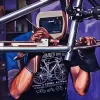
also note the funky lines around the top tube ?
(No subject)
Snapshot tool
You are definitely using the snapshot tool in this example. If you save your design after having used the snapshot tool, that snapshot does get saved with your design. Therefore, re-opening the design is not going to clear things up like you assumed it would. My earlier instructions for removing the image still apply. Just don't forget to save your model after clearing the snapshot. Otherwise, next time you open the model you'll see the snapshot again.