
Main navigation

  • Home
  • BikeCAD Pro
  • BikeCAD Online (Free)
  • Design Archive
  • User Guide
  • Help/ FAQ
  • Forum
  • Glossary
  • Cycling Dingbats
  • Upload a BCAD file
  • Release Notes
  • User Map
  • BikeCAD Pro Owners
  • Contact

User account menu

  • Sign up
  • Log in
Home
Bicycle Design Software

Double bike contour

leonidnk
Profile picture for user leonidnk
Kuzmin Ski Technology AB
Karlstad, Sweden
By leonidnk | 5:19 AM EDT, Sun March 15, 2015
BikeCAD Pro How To Forum

Hi,

I did some design and saved it as SVB2015-01_LK.bcad (see attachment SVB2015-01_LK.png).
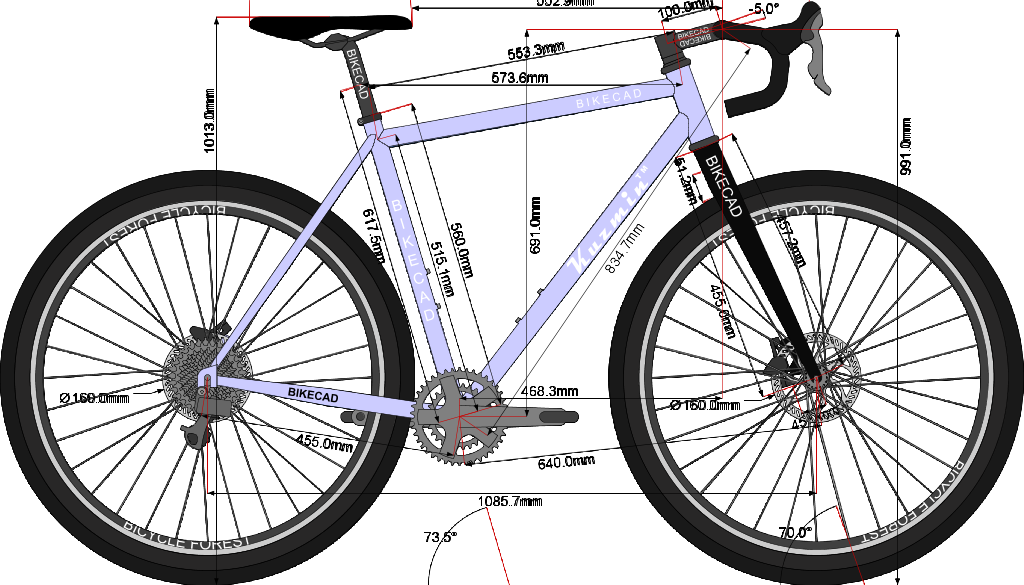
Next I saved the file as SVB2015-01_AO.bcad and did change some dimensions.

But I got an unexpected and undesired result. Please, see attachment SVB2015-01_AO.png
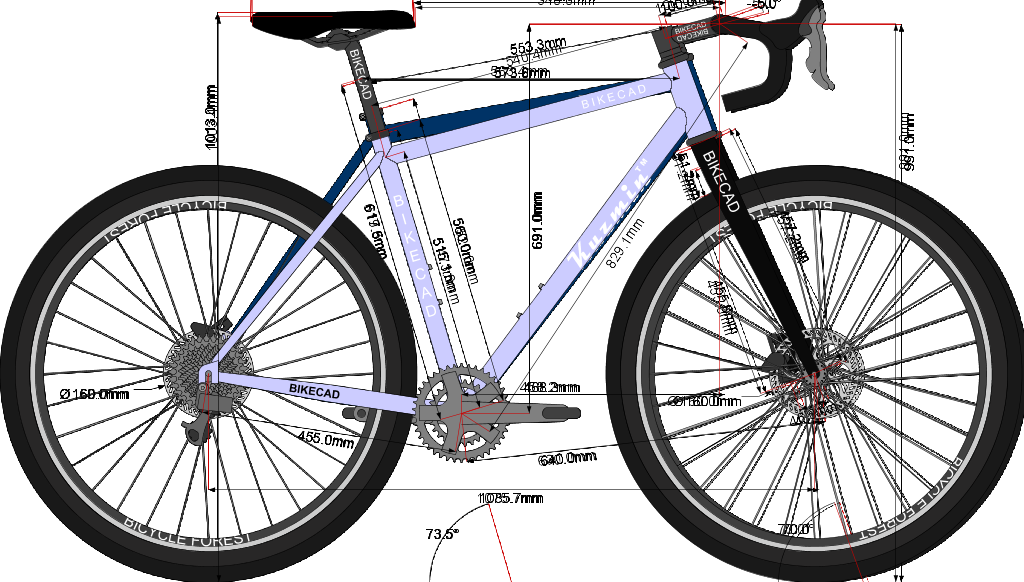
What I did wrong?

My system: Windows 8.1 64 bits, BikeCAD Pro 11.74, Java Version 8 Update 40 both 32 and 64 bits.

Brent
Profile picture for user Brent
www.bikecad.ca
Ottawa, ON Canada

Brent

11 years 2 months ago

Permalink

Double bike contour due to Snapshot tool

It looks like you've inadvertently used the snapshot tool described at: bikecad.ca/snapshot. You can remove this extra bike in the background by selecting File >> Remove photo.

  • Log in or register to post comments
leonidnk
Profile picture for user leonidnk
Kuzmin Ski Technology AB
Karlstad, Sweden

leonidnk

11 years 2 months ago

Permalink

File >> Remove photo

It works! Thank you very much.

  • Log in or register to post comments
  • Log in or register to post comments

Copyright © 1998 - 2026 The Bicycle Forest Inc. - All rights reserved

Drupal theme by Alaa Haddad