
timleicester
 Ashbourne, United Kingdom
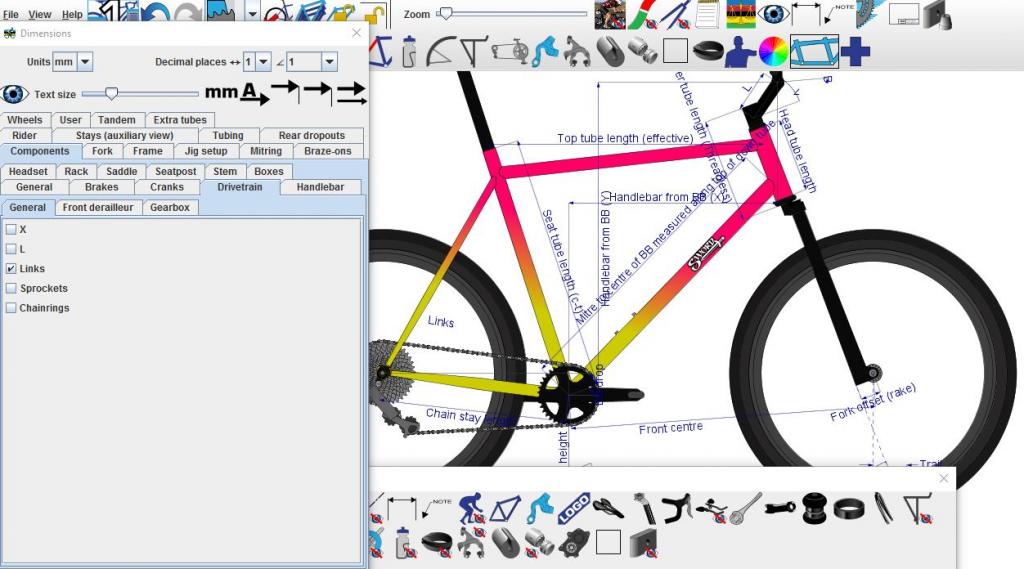
Don't know what I did but I managed to replace the numerical values of the dimensions with their names.
Reloading it reverted to normal, but a diagram with named dimensions on might be handy in the future how would I repeat this (on purpose).
Tim
Displaying dimensions in text form
The key is the toggle button in the top of the Dimensions dialog box that looks like: . This is explained at the 2:25 mark in the video tutorial at: bikecad.ca/dimensions_dialog.
Another button I've never used.
Excellent, another useful feature of BikeCAD. Thanks Brent