
Cyco
 WA Australia
Brent,
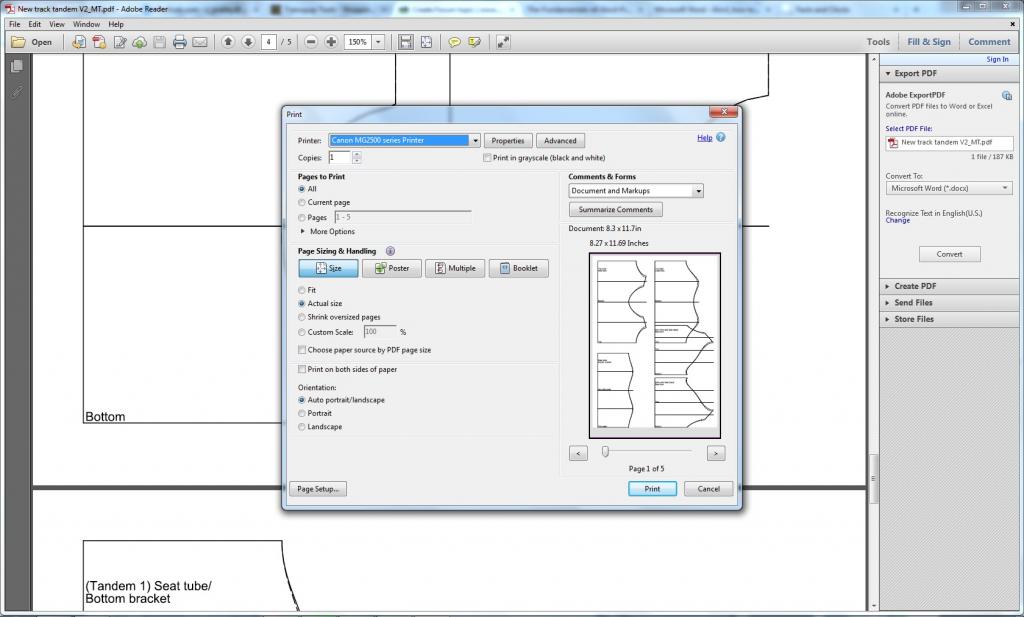
Attempting to print some mitre templates, I have found the bottom of the page's image cut off.
I attempted to attach the file, but pdfs arn't supported, so I've attached a screenshot of the issue
It isn't much, but my version of Adobe Reader XI (11.0.09) is telling me the exported page size is 8.3x11.7", rather than A4's standard 8.27x11.69".
Chris
Paper sizing
Thanks for letting me know. In version 11.5, there is an issue with template sizing that only seems to affect some Mac users. I will be correcting that in the next update. Meanwhile, I believe you are using the PC version. Your issue appears to be a different one. Do you mind e-mailing me a copy of your BCAD file and the PDF you are attempting to print?
Paper sizing
Thanks for emailing me your PDF. This does not appear to be a BikeCAD issue. In Adobe Acrobat, if you select Files >> Properties you should see that the document size is suitable for printing onto an A4 sheet.
Admittedly, the Print dialog box in Adobe Acrobat is a bit confusing in the way it lists two slightly different dimensions for the page. Acrobat version 10 didn't do this. I needed to upgrade to Acrobat version 11.0.09 to see what you were seeing. In the screen capture below I've annotated what each of these values means. The first lists the size of your document but only shows the dimensions rounded to one decimal place. Try printing other PDFs from other sources and you should see this is true. The next set of dimensions lists the default size of the sheet you have selected to print to. It shows these values rounded to two decimal places. Although the two sets of dimensions are not identical, you can see that the difference is only in how they have been rounded differently.
It was good to see that you had selected to print Actual size. Overlooking that point seems to be the cause of almost all problems with printing miter templates. Unfortunately, since you seem to have done everything correctly, I'm not sure how to explain the clipping. I can only assume it might have to do with how your printer handles margins. Another possibility is that you may be using an 8.5 x 11" sheet of paper rather than an A4 sheet. I just printed the document you sent me onto an A4 sheet and it turned out perfectly well; no clipping at all.